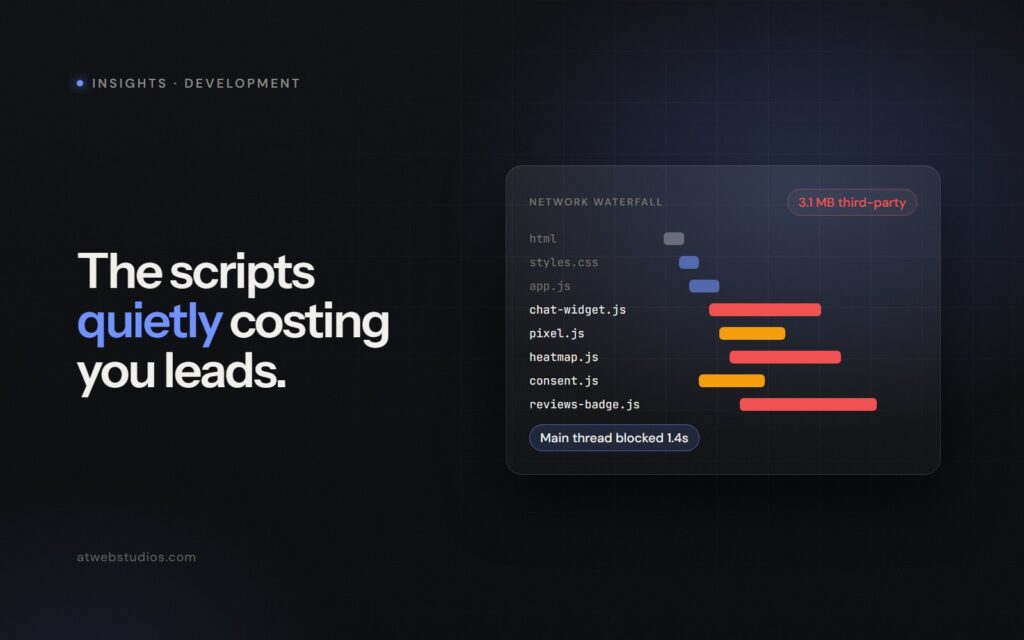
Open DevTools on your homepage, select the Network tab, and hit reload. You will likely watch forty or fifty separate network requests fire off before your primary call to action becomes interactive.
Most of those requests belong to tools your team added over the past three years: a live chat widget, a cookie consent banner, two heatmap trackers, Facebook pixels, and a review badge. Each tool promised to raise conversion rates or satisfy a compliance requirement.
When business owners analyze third party scripts website performance, they usually look at image compression or web hosting plans. The larger, quieter issue is almost always the stack of JavaScript tags executing code in the browser background.
Every marketing tool carries an invisible tax
Each script in your Google Tag Manager container was installed for a sensible reason. Marketing wanted heatmaps to evaluate a page redesign. Sales requested live chat to capture after-hours inquiries. Legal insisted on a consent banner to satisfy privacy regulations.
No single tag looks dangerous in isolation. Vendor sales pages highlight light file sizes to convince teams that installation is harmless.
A modern chat widget might claim to weigh 30 kilobytes, but those 30 kilobytes regularly pull down three megabytes of secondary tracking code.
That initial script frequently downloads secondary stylesheets, external fonts, custom tracking frames, and analytics libraries. A single widget can easily turn into twenty separate network calls on every single page view.
Nobody ever goes back to clean up old tools. The marketing campaign finishes, the agency contract ends, or the sales team switches software platforms, yet the old scripts remain. They continue executing code on every visitor’s phone, year after year.
How third party scripts website performance affects your bottom line
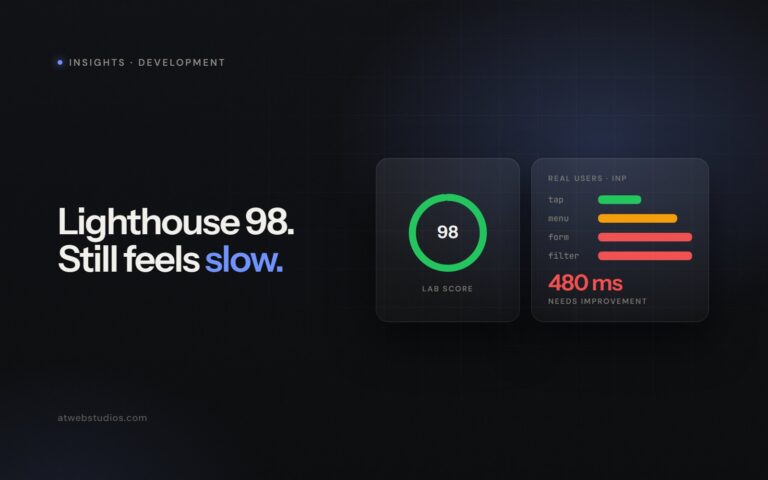
In March 2024, Google officially replaced First Input Delay with Interaction to Next Paint (INP) as a Core Web Vital. This metric measures the time between a user clicking a link or tapping a menu and the browser rendering the updated visual feedback on screen.
Browsers process JavaScript on a single thread. When an external script runs, it completely takes over that thread, preventing the browser from responding to human interaction until the script finishes its work.
If a visitor taps your consultation request button while a heatmap tool is processing DOM elements, the tap registers late or gets dropped completely. The user assumes your form is broken. They tap three times in frustration before bouncing back to Google to find a responsive competitor.
Google marks an INP score under 200 milliseconds as good performance. Pages burdened with heavy tracking stacks routinely hit INP scores between 400 and 800 milliseconds. That lag creates a subtle, persistent friction that drives potential clients away before they ever submit an inquiry.
The compounding cost of main-thread congestion
Consider what happens during the critical five seconds after a prospect lands on your site.
The cookie banner evaluates consent rules and draws an overlay. The primary analytics tool boots up and checks cookies. The live chat widget opens a websocket connection, fetches agent availability, and prepares an animated popup. Two retargeting pixels scrape page metadata to build ad profiles.
All five scripts fight for CPU cycles on the visitor’s device. On an expensive desktop machine using office fiber, the processor handles the load without noticeable delay. On a two-year-old smartphone connected to cellular data, the browser freezes up completely.
Prospective clients do not analyze script execution times when your site stalls. They simply reach a quick decision about your business: slow website, slow firm.
A four-step audit to reclaim site speed
Cleaning up your tag container does not require rebuilds or full code rewrites. You can isolate the heaviest third-party scripts in less than an hour using free tools built directly into modern web browsers.
- Inventory your container. Export every tag currently active inside Google Tag Manager into a spreadsheet. Document who requested each tag, the date it was added, and whether the underlying software license is still active.
- Profile main-thread execution time. Run a Performance recording in Chrome DevTools on your primary landing page. Filter the results by domain to identify which external scripts lock up the CPU for more than 50 milliseconds at a time.
- Run a clean baseline test. Use WebPageTest to test your homepage speed with all third-party domains blocked. Compare the clean timing and INP scores directly against your live site scores.
- Weigh conversion value against speed cost. Ask whether a live chat widget generating two inquiries a month is worth the 15 percent drop in mobile conversion rate caused by site-wide loading delays.
If your internal team lacks the bandwidth to run deep technical diagnostics, investing in professional technical performance and SEO optimization services provides a clear, measured plan to strip out bloat without breaking your reporting metrics.
Enforce a strict one-in, one-out tag rule
The only lasting fix for script accumulation is a firm governance rule: no new tag enters your container unless an existing tag leaves.
If your marketing team wants to test a new session recording platform, they must remove the current user behavior tool first. If sales wants a new scheduling calendar widget, require them to evaluate whether a direct link to an external booking page works just as well without impacting site speed.
Explore server-side tracking options for analytics tools that support them. Server-side tracking moves event collection off the visitor’s device and onto a server, completely eliminating main-thread browser delays for those tags.
When browser-based third-party scripts are essential, insist that they load asynchronously or defer until after the page visual content completes. Never allow an analytics script to block the visual rendering of your main headline or primary form.
Audit your site before adding your next tool
Schedule thirty minutes this week to open your tag container. Delete every legacy script connected to vendor contracts you terminated long ago.
Load your key service pages on a mid-range smartphone over a cellular connection. If tapping buttons feels sluggish or unhelpful, disable non-essential marketing tags one by one until the site responds instantly.
Make performance monitoring a recurring task rather than a rare rescue operation. Establishing a predictable website support and maintenance schedule ensures new scripts get evaluated before they quietly lower your inquiry volume.