Open five SaaS sites in your bookmarks bar right now. You will see five screenshots of software dashboards showing fictional charts with steady upward growth, paired with headline text promising to automate your workflow. This standard approach to SaaS website design treats the homepage as an interactive user manual rather than a persuasive sales conversation.
Visitors arriving at your site rarely care about your user interface components on their first click. They care about their own operational fires. When you lead with feature callouts, interface tours, and dropdown menus, you speak to the small fraction of visitors who already understand your software category and want to compare technical specifications. You ignore the majority who are still trying to fix an urgent business problem.
Feature lists miss the buyer’s real question
Most software homepages suffer from an internal perspective problem. Founders and product teams spend years working inside their application, so they assume prospective buyers want to examine the software right away. They show modal windows, permission settings, and API integrations directly below the main hero section.
Buyers do not purchase software because they want another interface to manage. They buy software because their current process is manual, fragile, or failing to scale.
When a visitor lands on your homepage, they are asking one clear question: “Does this team understand what is currently broken in my business?” If your hero section immediately starts explaining how your task management sidebar functions, you fail to answer them.
High-converting SaaS website design follows five steps
To convert casual visitors into qualified leads, your homepage must follow a logical narrative hierarchy. Skipping steps or presenting information in the wrong order creates friction and increases bounce rates.
An effective narrative structure moves buyers through a predictable sequence:
- Problem statement. Describe the exact operational friction your buyer experiences daily, using their plain language rather than your internal engineering terms.
- Desired outcome. Paint a concrete picture of what business operations look like once that friction is permanently removed.
- Proof of results. Show measurable evidence from existing customers, including verifiable metrics, team roles, and specific operational gains.
- Mechanism of delivery. Introduce the software interface, workflow tools, and specific features that make this outcome possible.
- Transparent pricing. Display clear costs and tier structures so prospective buyers can evaluate financial fit without waiting for a sales call.
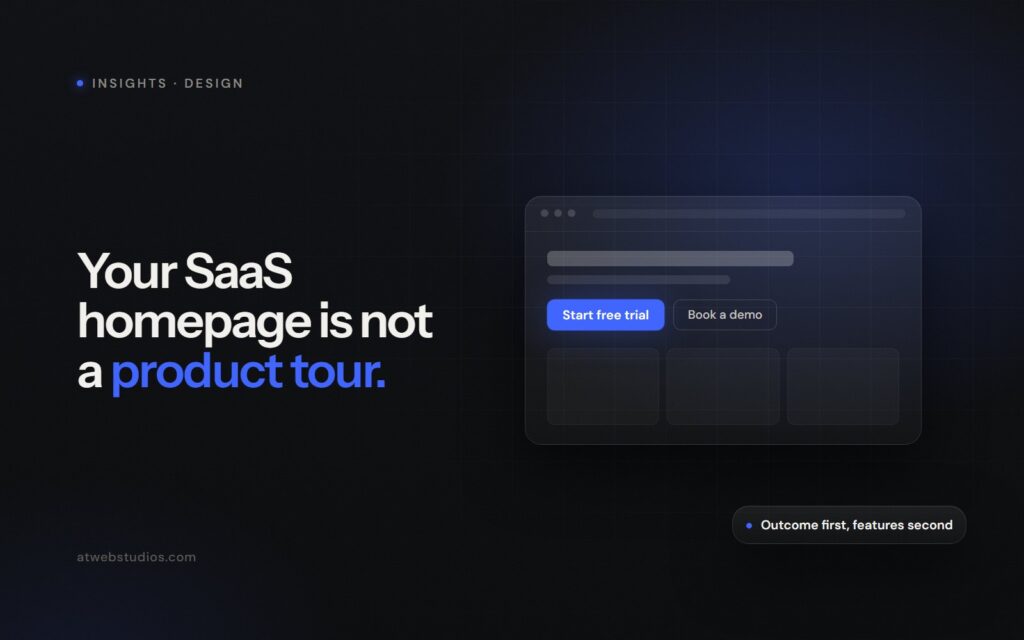
Notice where the software features belong in this hierarchy. They sit near the bottom, after you have established why your company exists and proved that your product produces real business results.
Lead with the problem before showing the interface
If your software handles cloud infrastructure monitoring, do not write a headline that says “Real-Time Kubernetes Incident Tracking.” Write a headline that says “Stop finding out about server outages from your customers on social media.”
The first statement forces the visitor to translate a technical capability into practical value. The second statement proves you understand their actual work day.
Buyers do not purchase software interfaces; they purchase the elimination of a recurring business headache.
Once you state the problem clearly, present the outcome immediately. Do not hide the financial or operational result beneath four screens of feature callouts. Tell visitors how many hours your customers save each week, how many data errors they eliminate, or how much revenue stays in their pipelines.
Demands for a demo create unnecessary friction
Look at the primary call-to-action button in your header section. If the text reads “Book a Demo,” you are asking a first-time visitor for thirty minutes of their calendar before showing them that your product works.
For operations managers and business leaders, scheduling a live demo carries real costs. It means dealing with sales reps, sitting through generic slide decks, and receiving automated follow-up sequences for six months.
Offer alternative paths for visitors to evaluate your product. Self-serve interactive tours, concise video run-throughs under ninety seconds, or instant sandbox access let prospects explore at their own speed. Save mandatory sales calls for custom enterprise deployments where security reviews and custom contracts are necessary.
Hidden pricing signals high costs and slow sales
Replacing a clear pricing grid with a “Contact Sales” link does not make your product look executive or enterprise-ready. It makes your company look expensive, rigid, and slow to onboard.
Modern B2B buyers conduct extensive independent research before reaching out to any software vendor. If your homepage hides basic pricing tiers, prospective buyers assume you charge based on company size or that your sales cycle takes three months.
Publish your pricing openly. If your pricing relies on variable metrics like seat counts or data volume, provide an interactive calculator so buyers can estimate their monthly costs quickly. Building an initial foundation of trust matters far more than capturing an email address through a gated contact form.
When you are ready to rebuild your homepage into a high-performing revenue channel, our custom web design service can help you structure your content to convert cold traffic. We hand-code every site without heavy page builders, ensuring your strategic positioning is matched by fast load times and clean technical execution. You can explore our custom web development services to see how clean code directly improves user engagement.
Audit your homepage content today
Take twenty minutes today to review your homepage text from top to bottom. Read every headline aloud, without looking at the screenshot graphics underneath them.
If your headlines only describe product features—and never address the operational problem you solve—rewrite them. Move your interface screenshots further down the page. Place your customer metrics and verified testimonials directly below your main value proposition.
Remove extra navigation links and secondary calls to action. Change your hero button from a high-friction sales request to a low-friction action like viewing a quick video tour or starting a trial account. Your conversion numbers will show the difference.
Frequently asked questions
What should a SaaS homepage focus on instead of feature lists?
An effective SaaS homepage focuses on the buyer's daily operational friction and desired business outcomes. Features should be placed near the bottom of the page, after establishing why the product exists and providing proof of measurable customer results. This structure treats the homepage as a persuasive sales conversation rather than a product manual.
Why should SaaS websites offer alternatives to booking a demo?
Requiring a live demo forces visitors to commit thirty minutes of their time before seeing if the software works. Many buyers want to avoid generic slide decks, sales calls, and automated follow-up emails. Providing self-serve interactive tours or short videos under ninety seconds allows prospective buyers to evaluate the software at their own pace.
Should SaaS companies publish pricing on their homepage?
Yes, displaying clear pricing tiers lets prospective buyers evaluate financial fit without waiting for a sales call. Hiding basic costs behind a contact link makes a company appear expensive, rigid, and slow to onboard. Transparent pricing aligns with how modern B2B buyers conduct independent research before contacting software vendors.
Where should software features be displayed on a B2B homepage?
Software features belong lower on the homepage narrative, directly after establishing the business problem, desired outcome, and customer proof. Introducing features too early fails to answer whether the product solves a visitor's urgent operational problems. Features serve as the mechanism of delivery for the business outcomes already promised higher on the page.